
Collect the keys
We arrange key collection with your authorisation and the developer’s appointment requirements.
COVE Residence Melaka
Key collection, defect follow-up, furnishing and guest operations can mean plenty of appointments and messages. Neststay coordinates the agreed work, so preparing your COVE unit doesn’t take over your working week or time with family.
Ask about your unit first. No documents or payment needed for an initial discussion.
More than handing over a key
Collecting keys is one appointment. Checking the unit, submitting defects and following up can turn into a few more. Let our team coordinate the agreed work, so you don’t have to fit every visit around work and family.
We arrange key collection with your authorisation and the developer’s appointment requirements.
We coordinate the unit check, record defects and submit the list. The developer handles assessment and rectification.
Progress and questions go into your owner group. You can follow what’s happening and make the decisions that need your input.
We coordinate furnishing with IDS Home, then the listing, guest arrangements and daily operations after Go-Live.
We’ll confirm the scope and appointments for your unit with you. You keep the key decisions; our team handles the agreed coordination.
Owner income model
Rental revenue from participating Neststay units at COVE is pooled. After each day’s eligible operating costs, net revenue is allocated by the verified net purchase prices of that day’s eligible units. Your daily shares are totalled monthly. Any carried-forward operating shortfall attributable to your unit is recovered from that allocation before the 75% owner / 25% Neststay split.
Applied to your monthly unit allocation after recovery of any operating shortfall attributable to your unit
Of net rental revenue after applicable operating costs
OPEX means the day-to-day costs of operating the participating properties for paying guests. Depending on actual bookings, property needs and the agreed scope, examples include:
Neststay’s own staff salaries are paid by Neststay, not charged to the pool as OPEX. The owner’s maintenance reserve is a separate deduction after the owner allocation.
Not every item applies every month. Actual items, amounts and how shared or unit-specific costs are allocated depend on the situation and signed agreement.Pool sharing, in plain terms
All participating Neststay COVE units share one Pool. After each day’s eligible operating costs (OPEX), net revenue is allocated by the verified Net Purchase Prices of that day’s Eligible Units. Monthly unit allocations are then adjusted for that unit’s own carried-forward shortfall before the 75% owner / 25% Neststay split.
Each day’s Pool Revenue is reduced by that day’s eligible operating expenses (OPEX).
Daily net revenue is allocated among that day’s eligible units in proportion to their verified Net Purchase Prices. Your monthly unit allocation adds your eligible daily shares.
Only carried-forward operating shortfalls attributable to your unit are recovered from its monthly allocation. Of the remainder, 75% belongs to you and 25% to Neststay.
Your share then covers the applicable reserve and authorised owner-level deductions. Allocation and cash payout can differ. See the FAQ for the RM167 contribution limit and RM2,000 reserve-balance cap.
Actual allocations depend on eligible OPEX, any applicable prior shortfall recovery, each day’s eligible units, verified purchase records and owner-level deductions under the signed agreement. Booking results and owner allocations vary; no income or return is guaranteed.
COVE owner-stay promotion
Enjoy up to 30 eligible complimentary weekday owner-stay nights per year during the active contract. Eligible complimentary stays include basic cleaning and standard laundry; extra services and abnormal cleaning are separate. The allowance renews each year during the active contract. Weekends, public holidays, school holidays, peak seasons and special-event dates are excluded. Discounted owner rates are available on excluded dates, subject to reservation and availability.
Family and friends may use the nights, but the owner must book through official channels at least 15 days in advance. Free nights cannot be resold or rented out. Ask the team about excluded dates before booking. Paid owner stays remain in the rental pool and do not use the complimentary allowance, subject to the agreed booking rules. The promotion does not promise accommodation in another owner’s unit; final programme terms apply.
The initial programme term runs for 3 years from Go-Live. It has a 12-month lock-in; after that, 3 months’ written notice is required, making month 15 the earliest ordinary end date. A further 3-year term requires mutual written agreement. Confirm the final terms in the signed programme agreement.
Check your owner-stay arrangementsA waterfront destination
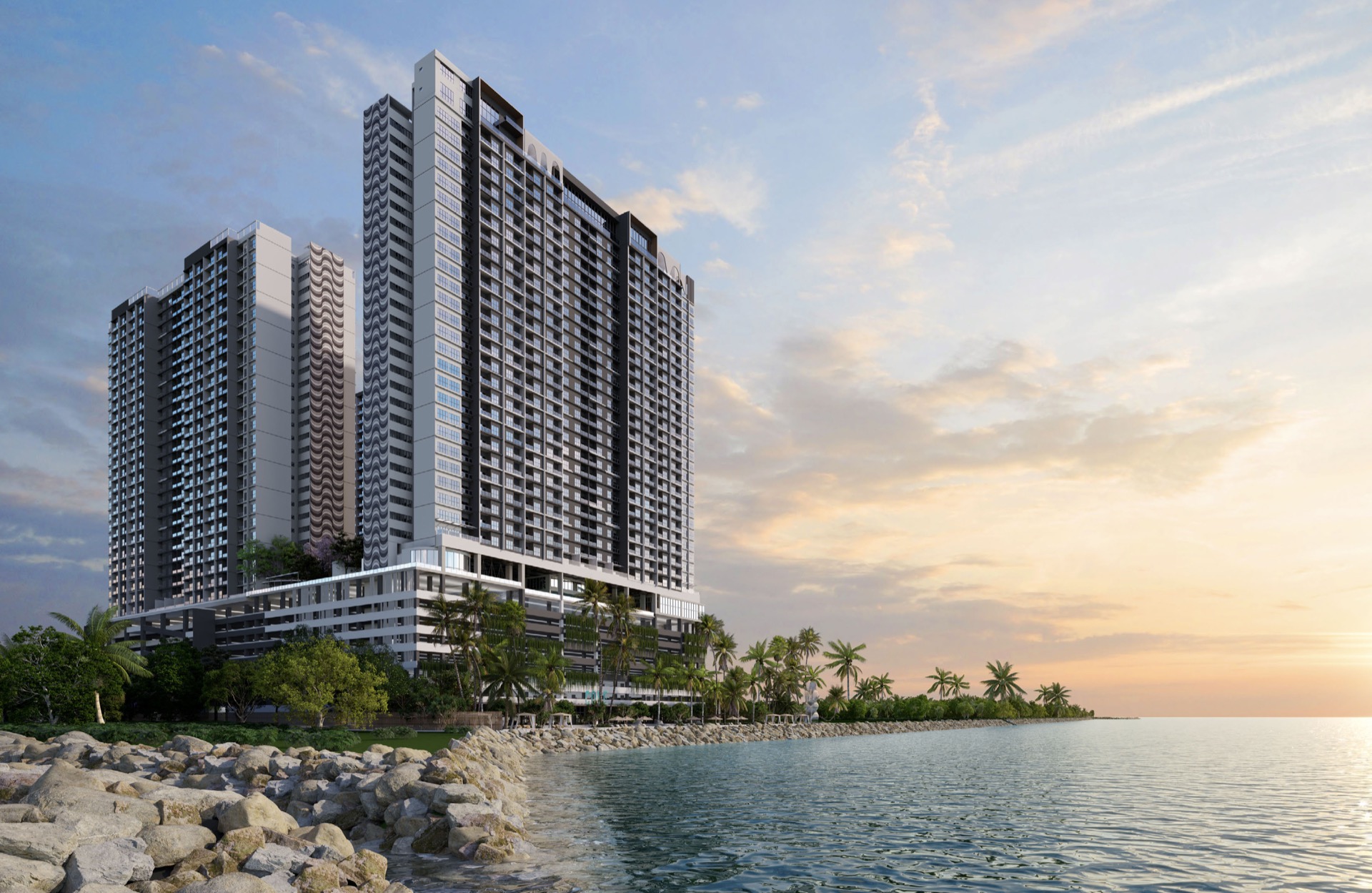
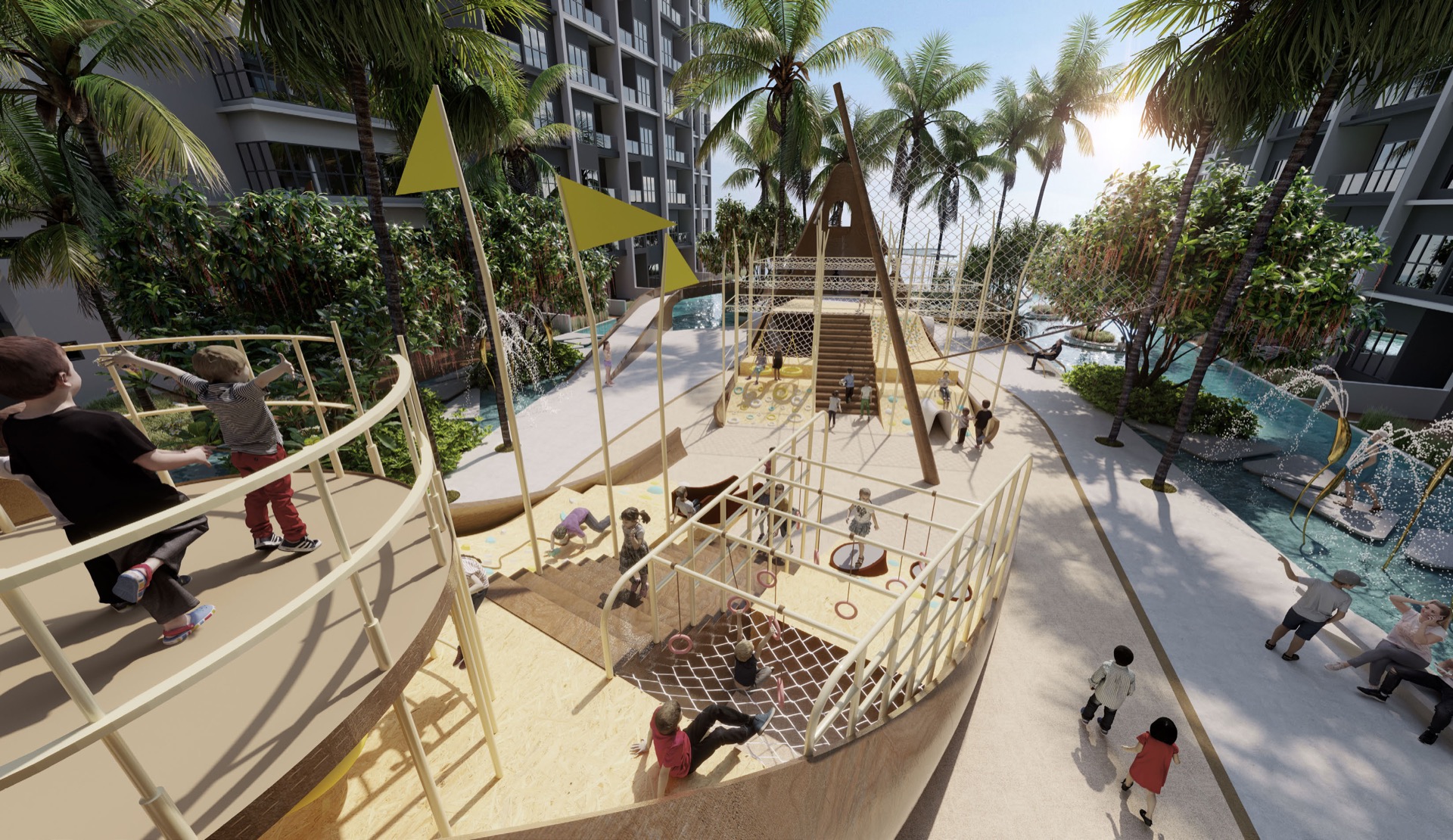
The development concept brings together waterfront views, resort-style leisure spaces and family-oriented facilities—giving the future guest experience more than a room alone.
Project images are artist’s impressions supplied in the COVE Residence sales kit. Final development is subject to the developer’s plans and approvals.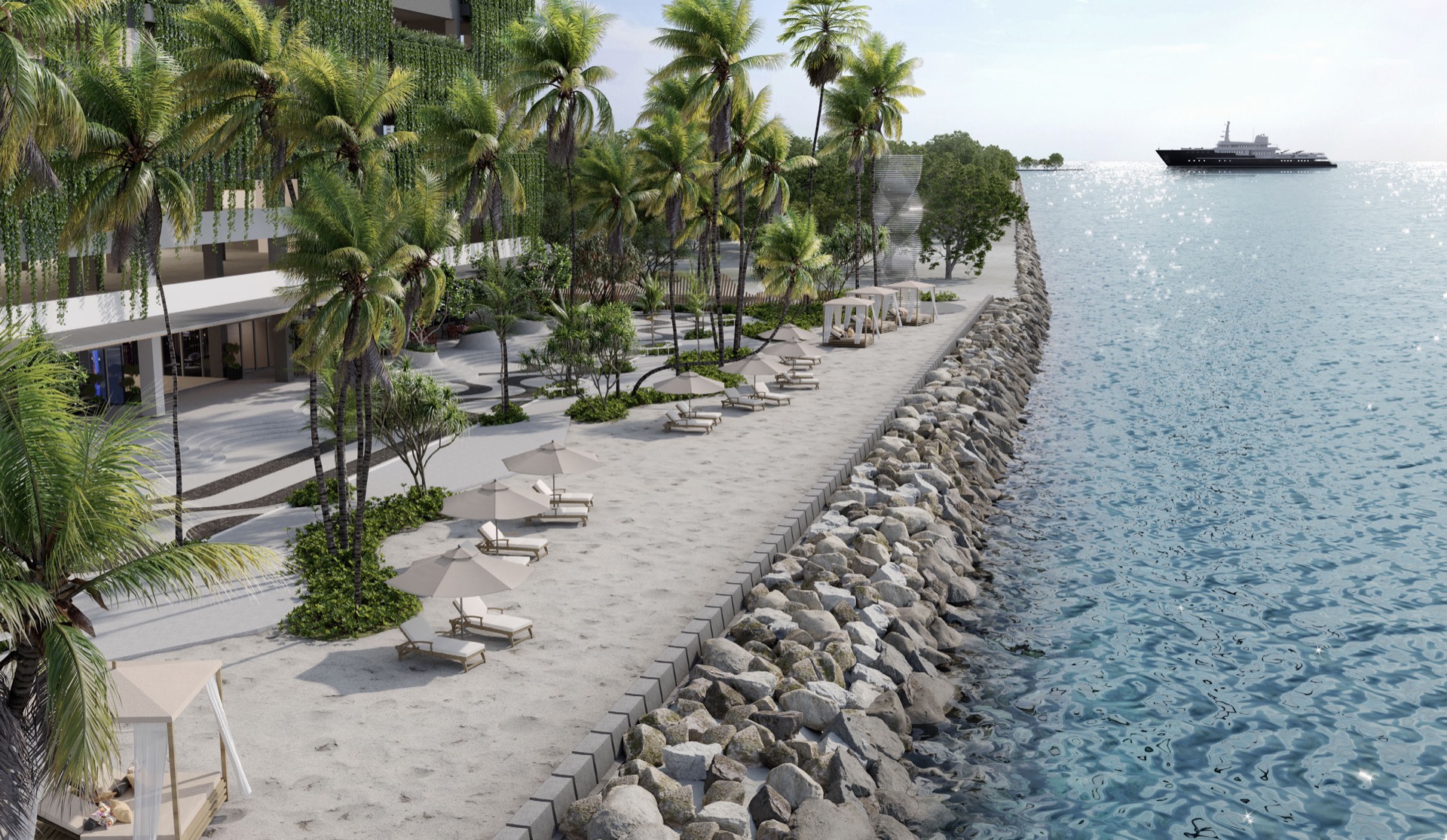



Choose the look for your unit
Start with Type A, B or C. Compare MUJI, Black & White, Orange, Blue Ocean and Tropical, then check the furnishing price and what’s included.
Choose my unit and design
Start with your unit
Find Type A, B or C by floor area, then compare the five themes in the Design Studio. For a first enquiry, your unit type, preferred design and question are enough.
1 bed · 1 bath
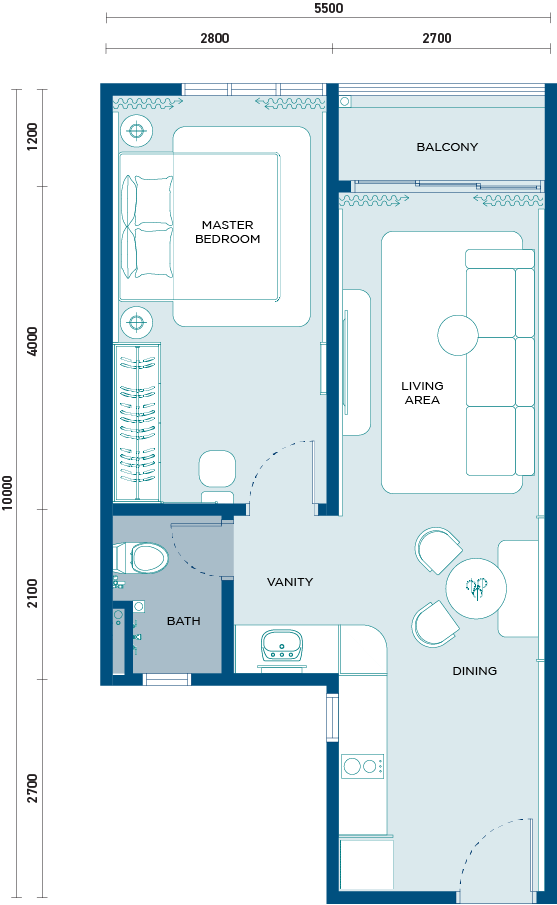
1 bed · 1 bath
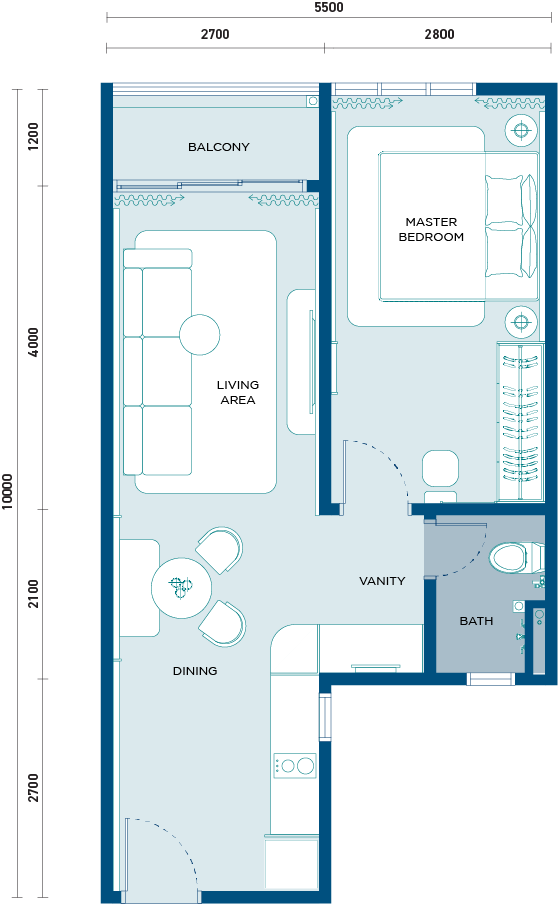
2 beds · 1 bath
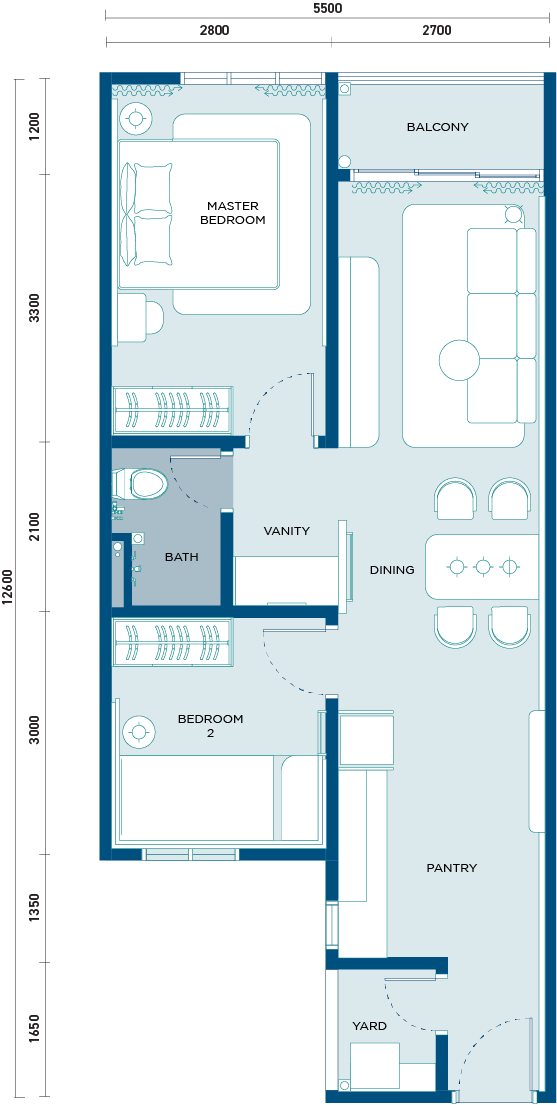
2 beds · 1 bath
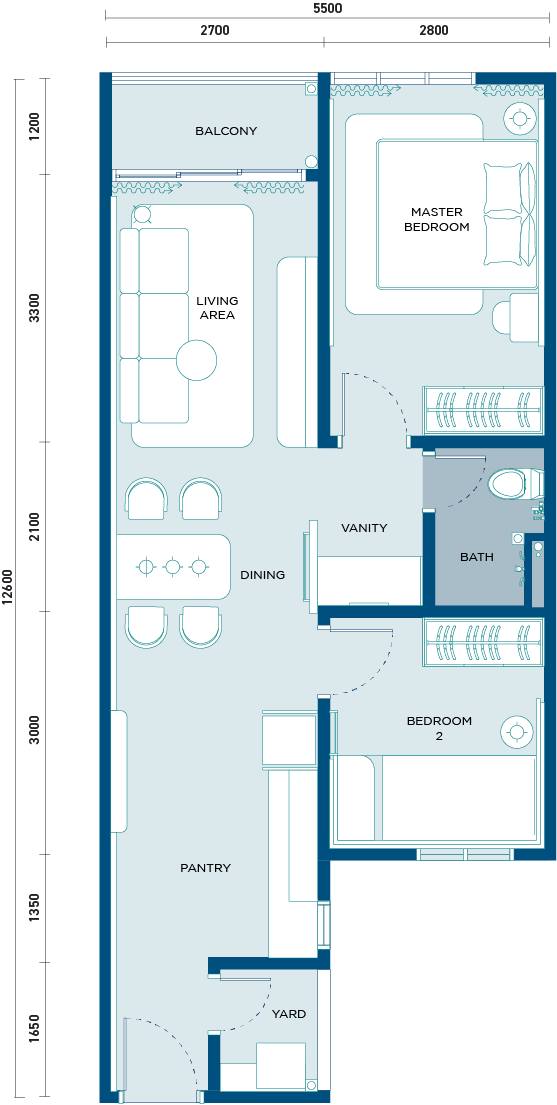
3 beds · 2 baths
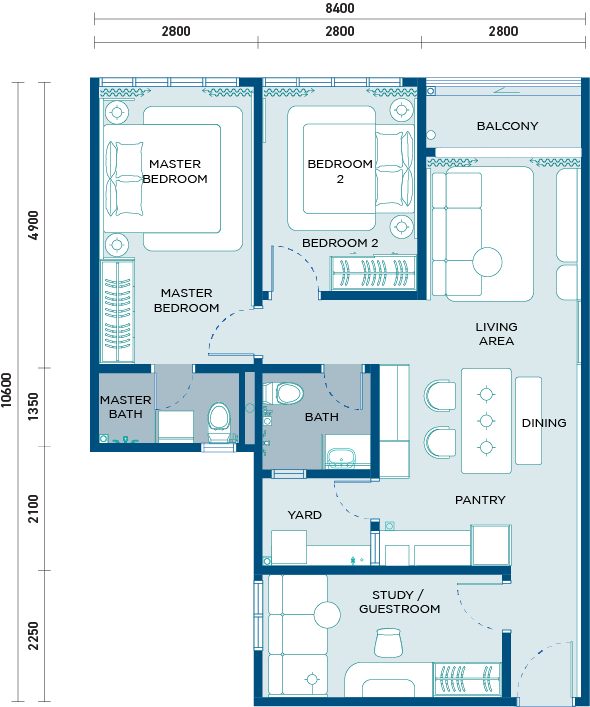
3 beds · 2 baths
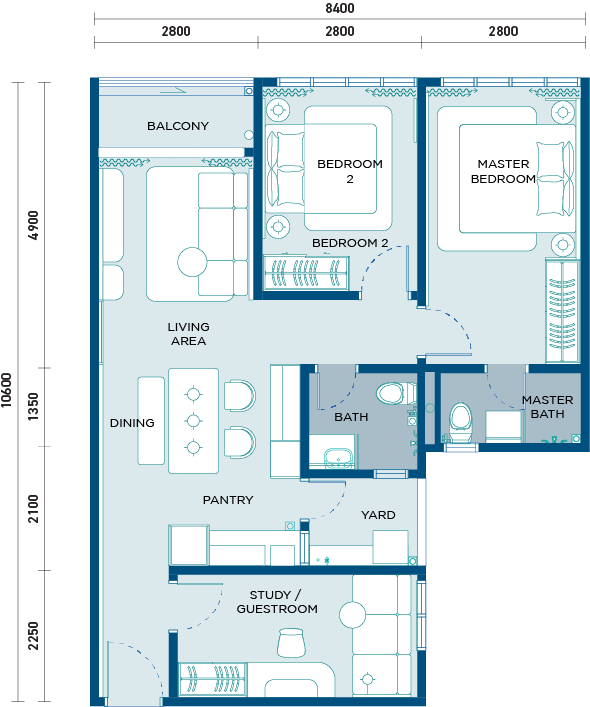
Project information: KEB. Check linked reference plans against your own unit documents; the same size may have more than one layout. No SPA or ID documents needed for this first discussion, and no commitment to sign up.
Planning this with someone?
Furnishing update
Found a design you like? Check the price for your unit type, then confirm the final item list and written quotation with our team.
Curtains or blinds are included for all unit types, subject to the final written quotation.
Curtains or blinds are included for all unit types, subject to the final written quotation.
Includes one 1.0HP air-conditioning unit and installation for the third room, plus curtains or blinds, subject to the final written quotation.
A separate RM899 Neststay Administration Fee applies. This fee is non-refundable under the applicable registration terms, except where required by law. It is not included in the furnishing prices above.
For new registrations from 9 November 2026. Earlier accepted quotations and confirmed entitlements keep their agreed terms.
Final items, site conditions and payment dates follow your signed IDS Home quotation. Neststay coordinates preparation and manages the unit after Go-Live.
For eligible packages, instalments of up to 36 months are available through credit-card instalments, not cash instalments. Approval and available tenure depend on your card’s eligibility, available limit and the participating bank’s plan, terms and applicable charges. Confirm the plan for your card before paying.
The Neststay administration fee is collected by IDS Home on behalf of Neststay. IDS Home’s 10% renovation deposit is a separate payment under your furnishing quotation. Confirm the amount, payee, payment dates and cancellation or refund terms in writing before paying. The furnishing agreement and Neststay management agreement are separate.
How to join
The application form asks for the information and documents needed to review your unit. Personal and ownership documents are uploaded through Google Forms instead of this public website.
COVE Residence owners
Once your unit, design and written terms are confirmed, use the existing application form. Keep your ownership documents and the required payment records ready. Review payment details.
Questions before applying?
Tell us what you would like to clarify about the furnishing package, income model, agreement or documents. Our team will guide you before you apply.
Start with a question
Share your unit size, bedrooms, furnishing and handover status. No ownership documents are needed for this initial enquiry.
Owner questions
Neststay works with Cove Suites, the developer’s own operator, to coordinate operating arrangements and systems. Owners join Neststay’s own programme, with its agreed furnishing, management and reporting terms.
All participating Neststay COVE units share one pool. Each day, Pool Revenue less eligible operating expenses is allocated among that day’s eligible units in proportion to their Verified Net Purchase Prices, based mainly on the Developer Package Letter. Daily allocations are added up monthly. After any applicable recovery of earlier operating shortfalls, 75% belongs to the owner and 25% to Neststay. The owner’s share then covers the reserve, owner-specific expenses, property costs paid on the owner’s behalf and authorised furnishing deductions, in that order. The balance is the payout.
OPEX covers genuine, reasonable and documented costs of running the participating units, such as guest cleaning, laundry, supplies, utilities, internet, platform and payment fees, pool operating systems, routine consumables and scheduled servicing. Neststay’s team, administration, marketing and company systems are its own costs. Owner property costs and repairs covered by the reserve are separate. No cost is charged twice.
In a month with a positive owner entitlement, we set aside the smallest of RM167, that entitlement and the amount needed to reach a RM2,000 reserve balance. Contributions stop at the cap and resume when the balance falls below it. RM2,000 is a balance cap, not a yearly fee. Eligible repair costs are shared equally among participating units, after available recoveries. The reserve is never used for operating shortfalls. A positive balance is refunded after reconciliation when you leave; a negative balance is settled in the final statement.
Payouts are normally made by the 25th of the following month, with a monthly statement showing revenue, costs, allocations, shortfalls, deductions and the reserve balance. Some allocations may be deferred if available pool funds are insufficient. Platform receipts that arrive late or remain disputed are paid after receipt and reconciliation. These amounts do not earn interest, and payment by a fixed date is not guaranteed.
You are not asked for an operating-shortfall cash top-up during the term. Shortfalls linked to your unit are carried forward and recovered once from its later allocations before the 75/25 split. At exit, any verified unrecovered shortfall is shared 75% by you and 25% by Neststay. Your share is first offset against money due to you, excluding the reserve; any remainder is payable within 30 days of the final statement. Property costs and other owner obligations remain separate.
No. Bookings, rates, operating costs, seasonality and the units participating each day affect your share. Examples explain the calculation only; they are not forecasts or guaranteed returns.
The furnishing prices are Type A RM25,800, Type B RM30,800 and Type C RM37,800, plus the separate RM899 Neststay administration fee. Curtains or blinds are included as specified in each quotation; Type C also includes supply and installation of a 1.0HP air-conditioner in the third bedroom. Sign the furnishing quotation directly with IDS Home. Its quoted stages are 10% booking, 50% at start, 30% on furniture delivery and 10% three days before handover. Confirm a current written quotation before paying. Credit-card instalments of up to 36 months are available, subject to participating bank plans, card eligibility, available credit limit and applicable charges. Confirm the plan available for your card before paying.
The RM899 administration fee is collected by IDS Home on behalf of Neststay, separately from IDS Home’s furnishing price and 10% booking payment. This fee is non-refundable under the applicable registration terms, except where required by law. IDS Home’s booking-payment cancellation and refund terms must be confirmed in its own written contract; do not assume the payment is refundable. Confirm the correct recipient and written payment instructions before paying either party.
The term is three years from the written Go-Live Date, with a further three years only by mutual written agreement. Ordinary termination notice cannot be given during the first 12 months. After that, either party may give three months’ written notice, so the earliest ordinary end date is 15 months after Go-Live. Sale, uncured material breach, Neststay ceasing business and an agreed early release follow the signed agreement’s separate provisions. Existing bookings and final settlement must also be handled under those terms.
You may use up to 30 complimentary nights in each year of the term on normal weekdays, subject to availability. Weekends, public and school holidays, peak seasons and notified special-event dates are excluded. Basic cleaning and standard laundry are covered by Neststay; extra services, special requests and abnormal cleaning are charged separately. Unused nights are not paid in cash or carried into the next year.
Yes. The owner must book personally through official channels at least 15 days ahead. Family and friends may use the nights, but they cannot be resold or rented out. Confirm availability and any extra services before booking.
Your unit sits out of the pool only on the complimentary nights used. It receives no allocation for those nights, and its purchase-price weight is excluded from that day’s eligible total. Other eligible days are unaffected. If you do not use the allowance, your unit continues to participate on eligible days.
Yes, subject to availability and booking conditions. A paid accommodation stay is treated as an ordinary booking even if complimentary nights remain. The rate and any applicable cleaning charge enter Pool Revenue, your unit remains eligible for those nights, and the stay does not use your complimentary allowance. A special owner rate may be available; confirm it before booking.
We pursue available guest, platform, warranty and insurance recoveries. Unrecovered eligible guest damage and fair wear and tear are covered through the shared upkeep reserve. Neststay bears loss caused by its own negligence, wilful misconduct or breach of its management duties. Recovery depends on evidence and the applicable terms.
The agreement covers rental operations, taking handover and following up defects, and attendance and voting on building-management matters affecting short-term rental. This authority is limited to the management matters in the agreement and does not transfer ownership.
If Neststay ceases business, becomes insolvent or is wound up, the agreement allows the owner to terminate immediately by written notice, including during the lock-in, without early termination compensation. Final accounts and handover still follow the agreement.
Operating preparations do not replace building rules or required approvals. The unit joins the pool only after renovation, furnishing and operational readiness requirements are met, the required approvals are in place and Neststay confirms the Go-Live Date in writing. Pool sharing, the management fee and reserve contributions start from that date.
Only rely on a promotion after the team confirms its eligibility and separate terms in writing. Any promotion is separate from the management agreement and furnishing quotation.
Prepare your unit type and preferred design theme. Formal onboarding requests selected Sale and Purchase Agreement pages, identity or company-registration documents, the Developer Package Letter or rebate letter, and the required payment records. Confirm the current quotation, fee terms and correct payment recipients before making a payment.
Read before you decide
Understand the preparation, costs and rental decisions behind the programme.
Programme details follow the owner FAQ and furnishing update. Final confirmed quotations and signed agreement terms prevail.
Page updated: